How to use MCP with n8n: server trigger, client tool and Claude
Use MCP with n8n three ways: turn a workflow into an MCP server, give an n8n AI agent external MCP tools, and connect Claude to your instance. Tested.
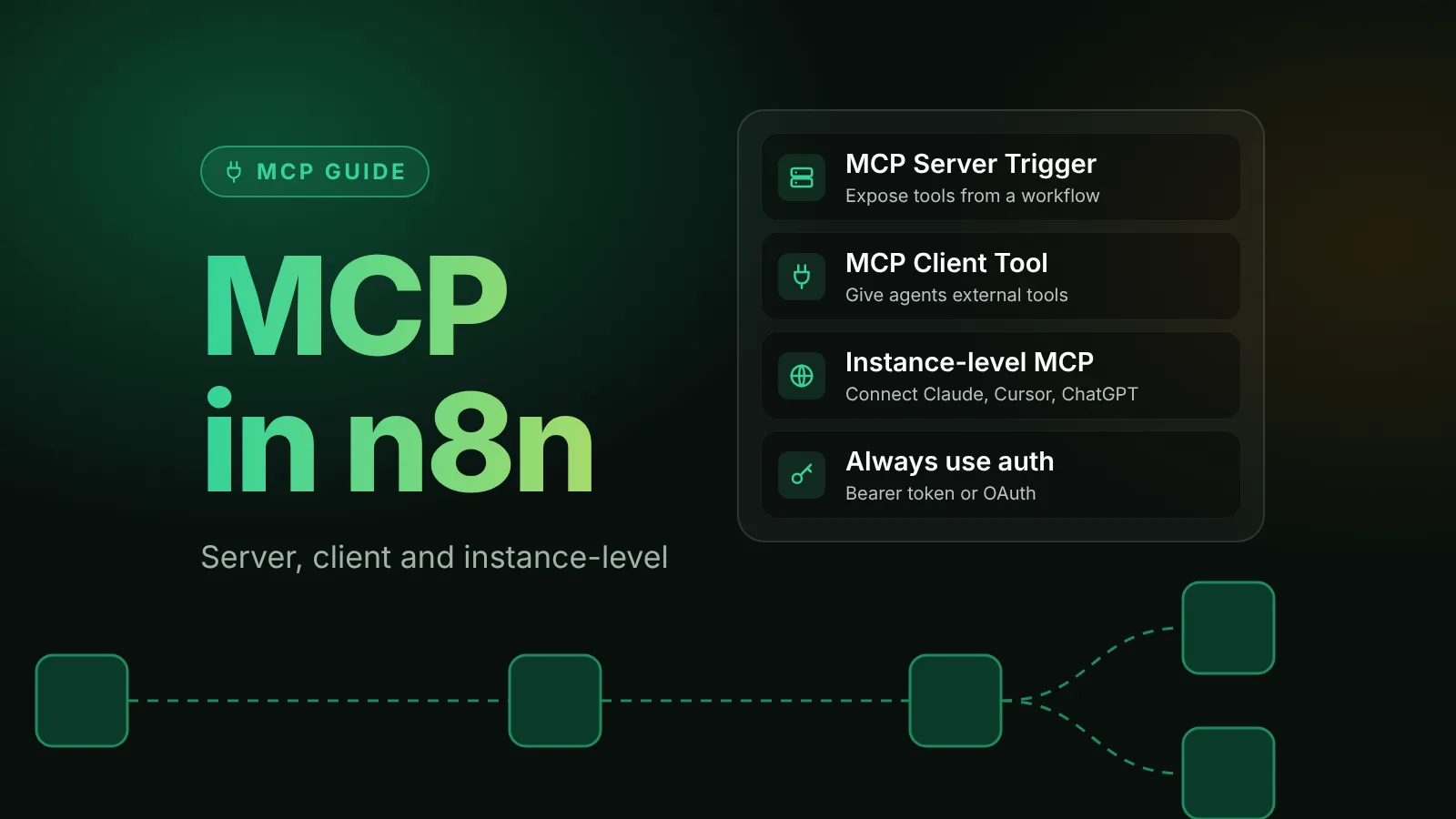
n8n works with the Model Context Protocol (MCP) in three ways. The MCP Server Trigger node turns a workflow into an MCP server that exposes the tools you choose. The MCP Client Tool node lets an n8n AI agent use tools from any external MCP server. And the instance-level MCP server lets Claude, ChatGPT, Cursor and other clients search, run and even build workflows on your instance.
We tested all three on n8n 2.43.7 on October 18, 2026: an MCP client built with the official TypeScript SDK called tools on an MCP Server Trigger workflow, an n8n agent used those same tools through the MCP Client Tool, and the SDK client connected to the instance-level server with an API key.
The short version
| You want to | Use | URL |
|---|---|---|
| Give Claude or another AI app a few specific tools you built in n8n | MCP Server Trigger node in a workflow | https://<your-domain>/mcp/<path> |
| Let an n8n AI agent use tools from an external MCP server | MCP Client Tool node, or a server from n8n's MCP registry | The external server's URL |
| Let Claude, ChatGPT or Cursor find, run and build workflows on your instance | Settings > Instance-level MCP | https://<your-domain>/mcp-server/http |
- Always set authentication. An MCP URL without it lets anyone who finds it run your tools.
- Tool names come from node names. Name tool nodes the way you want the model to see them.
- Every MCP tool call is a workflow execution on the n8n side, which counts toward execution limits.
- Behind a proxy, MCP needs streaming. nginx needs buffering turned off for
/mcp; Caddy flushes event streams on its own.
1. Turn a workflow into an MCP server with the MCP Server Trigger
The MCP Server Trigger is an unusual trigger: it doesn't pass data to a next node. It connects only to tool sub-nodes and exposes them to MCP clients. We built a server with two tools, a Calculator and an order lookup that runs a sub-workflow:
An MCP server built in n8n: the MCP Server Trigger with a workflow tool and a Calculator
Nodes (3)
- Mcp Trigger
- Tool Calculator
- Tool Workflow
Credentials you'll need
- Http Bearer Auth
To import: copy the JSON, open a workflow in n8n and paste onto the canvas (Ctrl+V or ⌘V). Credentials are never included; connect your own after importing.
To build one:
- Create a workflow and add the MCP Server Trigger node.
- Set Authentication to Bearer Auth (or Header Auth) and create a credential with a long random token, for example from
openssl rand -hex 24. - Set Path. By default it's random; we used
shop-tools, which gives/mcp/shop-tools. - Optionally fill in Instructions. Clients receive this text when they connect.
- Attach tools to the trigger's Tool connector. Any tool sub-node works. To expose your own logic, use Call n8n Workflow Tool and point it at a sub-workflow, as in our AI agent guide.
- Publish the workflow. The node shows a Test URL and a Production URL; clients use the production URL once the workflow is published.
Two things decide how clients see your tools:
- The tool name is the node name. Our tools appeared as
get_order_statusandCalculator. Callingcalculatorin lowercase failed with "Tool not found." - Descriptions become the schema. The workflow tool's Description became the tool description, and the description in
$fromAI('orderId', 'The order number, for example 1042', 'string')became the parameter description in the input schema clients see.
Test it with an MCP client
Before you connect an AI app, check the server with a small script. This uses the official MCP TypeScript SDK (npm install @modelcontextprotocol/sdk; we used version 1.32.1):
import { Client } from '@modelcontextprotocol/sdk/client/index.js';
import { StreamableHTTPClientTransport } from '@modelcontextprotocol/sdk/client/streamableHttp.js';

const client = new Client({ name: 'mcp-test', version: '1.0.0' });
await client.connect(
  new StreamableHTTPClientTransport(new URL('https://n8n.example.com/mcp/shop-tools'), {
    requestInit: { headers: { Authorization: 'Bearer <your-token>' } },
  }),
);

const { tools } = await client.listTools();
console.log(tools.map((t) => t.name)); // [ 'Calculator', 'get_order_status' ]

const result = await client.callTool({ name: 'get_order_status', arguments: { orderId: '1042' } });
console.log(result.content[0].text);
await client.close();
What our test returned:
| Call | Result |
|---|---|
listTools() | Calculator and get_order_status, with their descriptions and input schemas |
get_order_status with { "orderId": "1042" } | The sub-workflow's output as JSON text: status shipped, carrier UPS, ETA 2026-10-21 |
Calculator with { "input": "19.90 * 3" } | 59.699999999999996 (the Calculator doesn't round) |
| Any request without the token | HTTP 403 with "Authorization data is wrong!" |
Each tool call showed up as a separate execution of the MCP server workflow under Executions, and the order lookup added one more for the sub-workflow.
Connect Claude Desktop
n8n's docs give this Claude Desktop configuration for an MCP Server Trigger with Bearer auth. It runs mcp-remote as a local bridge:
{
  "mcpServers": {
    "n8n": {
      "command": "npx",
      "args": ["mcp-remote", "<MCP_URL>", "--header", "Authorization: Bearer ${AUTH_TOKEN}"],
      "env": { "AUTH_TOKEN": "<MCP_BEARER_TOKEN>" }
    }
  }
}
Replace <MCP_URL> with the node's production URL and <MCP_BEARER_TOKEN> with your token. Clients that speak streamable HTTP directly only need the URL and the Authorization header. One quirk from n8n's docs: claude.ai custom connectors ask you to sign in to n8n even when the trigger's Authentication is None. We tested with the SDK client, not with Claude itself.
Limits to know before production
- Reverse proxies: MCP uses long-lived streaming responses. n8n's docs say to turn off proxy buffering for
/mcpon nginx (proxy_buffering off;,gzip off;,chunked_transfer_encoding off;and an emptyConnectionheader). Caddy, used in our Docker Compose guide, flushestext/event-streamresponses immediately according to its docs, and that is the content type n8n's MCP endpoint returned in our test. - Queue mode: with a single webhook replica, it works as expected. With several, n8n's docs say to route all
/mcp*traffic to one dedicated webhook replica, or connections "will frequently break."
2. Give an n8n AI agent tools from an MCP server
Going the other way, the MCP Client Tool node connects an AI Agent to an external MCP server and hands the agent its tools.
- On your AI Agent node, click the Tool connector. If the service is in n8n's MCP registry (listed under MCP Servers in the panel), select it and sign in; n8n creates the credential for you. Otherwise add MCP Client Tool.
- Set Endpoint to the server's URL and Server Transport to HTTP Streamable. Server Sent Events is marked deprecated.
- Set Authentication to what the server expects: Bearer Auth, Header Auth, Multiple Headers Auth or MCP OAuth2.
- Under Tools to Include, choose All, Selected or All Except. Exposing only the tools the agent needs keeps its choices simple.
For our test, the agent's MCP Client Tool pointed at the MCP server from part 1. With a local qwen2.5:3b model, the agent answered "What is the status of order 1043?" with "The status of order 1043 is processing and it is expected to be delivered on 2026-10-24." The execution shows the full chain: the agent's MCP Client Tool called get_order_status (logged as Shop_tools__MCP__get_order_status, the node name plus the tool name), which ran the MCP server workflow, which ran the sub-workflow. That's three executions for one question.
Built-in tool or MCP server?
n8n's MCP servers page frames the choice like this: a built-in tool node gives "tighter control, because you fix the operation and can pin parameters so the model only fills in the fields you leave open." An MCP server "gives the agent more room, at the cost of control and more context per call." Use a built-in node when you know the action the agent needs, and an MCP server when it needs a range of actions you can't list in advance.
3. Connect Claude, ChatGPT or Cursor to your n8n instance
The instance-level MCP server is one connection for the whole instance. Per n8n's docs, connected clients can search your workflows, run the ones you enable, and, from n8n 2.13.0, create and edit workflows and data tables.
Turn it on
- In the UI: go to Settings > Instance-level MCP and select Enable MCP access (instance owners and admins).
- With environment variables (self-hosted, from n8n 2.20.0): set
N8N_MCP_MANAGED_BY_ENV=trueandN8N_MCP_ACCESS_ENABLED=true. n8n then applies them on every start and locks the matching UI controls. That's how we enabled it for the test. - To remove it entirely:
N8N_DISABLED_MODULES=mcpremoves the endpoints and the UI.
Connect a client
In Settings > Instance-level MCP, select Connect to open the Connect a client dialog. It offers OAuth (recommended), with setup steps for Claude Code, Codex, Gemini CLI, Claude.ai, ChatGPT, Cursor, VS Code and others, or an API key tab with a personal access token. The server URL ends in /mcp-server/http.
For Claude Code, n8n's client examples give:
# OAuth: run /mcp in Claude Code afterwards to sign in
claude mcp add --transport http n8n https://<your-n8n-domain>/mcp-server/http

# API key
claude mcp add --transport http n8n-mcp https://<your-n8n-domain>/mcp-server/http \
  --header "Authorization: Bearer <YOUR_N8N_MCP_TOKEN>"
Choose which workflows clients can use
Clients can preview every workflow you can see with search_workflows, but they can't read the full workflow, run it or change it until you enable MCP access for it. You can enable it from Settings > Instance-level MCP > Workflows enabled, from the workflow's Settings (Available in MCP), or from the menu on a workflow card. From n8n 2.24.0 you can also enable a whole project or folder.
Our test confirmed the gate. Asking for the details of a workflow that wasn't enabled returned: "Workflow is not available in MCP. Enable MCP access from the workflow card in the workflows list, or from the workflow settings."
What clients can do
On 2.43.7, the instance-level server listed 50 tools for our API key. They cover searching, running and testing workflows (search_workflows, execute_workflow, test_workflow), reading executions, building and editing workflows (create_workflow_from_code, update_workflow, publish_workflow), data tables, and n8n's newer Agents. That's a lot of power, so:
- Prefer OAuth. Each OAuth client only gets the permissions you approve when it connects, and you can revoke a client under Connected clients.
- Enable MCP access only on the workflows a client should run.
- Remember that all connected clients see the same enabled workflows. n8n's docs note you can't restrict specific workflows to specific clients.
Common MCP errors and fixes
"Authorization data is wrong!"
The request reached the MCP Server Trigger without the right token: HTTP 403 in our test. Check the client sends Authorization: Bearer <token> and that the token matches the trigger's credential.
"Tool not found"
The tool name doesn't match a tool node's name exactly, including case. List the tools first and copy the name.
"Workflow is not available in MCP"
The instance-level server found the workflow, but MCP access isn't enabled for it. Enable it in the workflow's settings or under Workflows enabled.
Connections drop or responses arrive all at once
A proxy is buffering the stream. On nginx, apply the /mcp/ settings above. In queue mode with several webhook replicas, route /mcp* to one replica.
Next steps
- Build the agent side first: how to build your first AI agent in n8n.
- Run n8n with HTTPS so remote MCP clients can reach it: self-host n8n with Docker Compose.
- How n8n's standalone Agents fit in: n8n Agents explained.
- More on MCP: the MCP tag.
Sources
- MCP Server Trigger node (n8n docs)
- MCP Client Tool node (n8n docs)
- Connect to n8n MCP server (n8n docs)
- MCP client connection examples (n8n docs)
- Build with MCP (n8n docs)
- MCP servers registry (n8n docs)
- MCP settings environment variables (n8n docs)
- MCP TypeScript SDK (Model Context Protocol)
- reverse_proxy directive (Caddy docs)
Editorial team
The then8nblog editorial team researches every article from n8n's release notes, documentation and source code, states the n8n version each guide was tested on, and has every post reviewed by a human editor before it goes live.