Self-host n8n with Docker Compose, Postgres and HTTPS
A tested Docker Compose setup for self-hosted n8n: Postgres, automatic HTTPS with Caddy, an external task runner for Python, and the settings that matter.
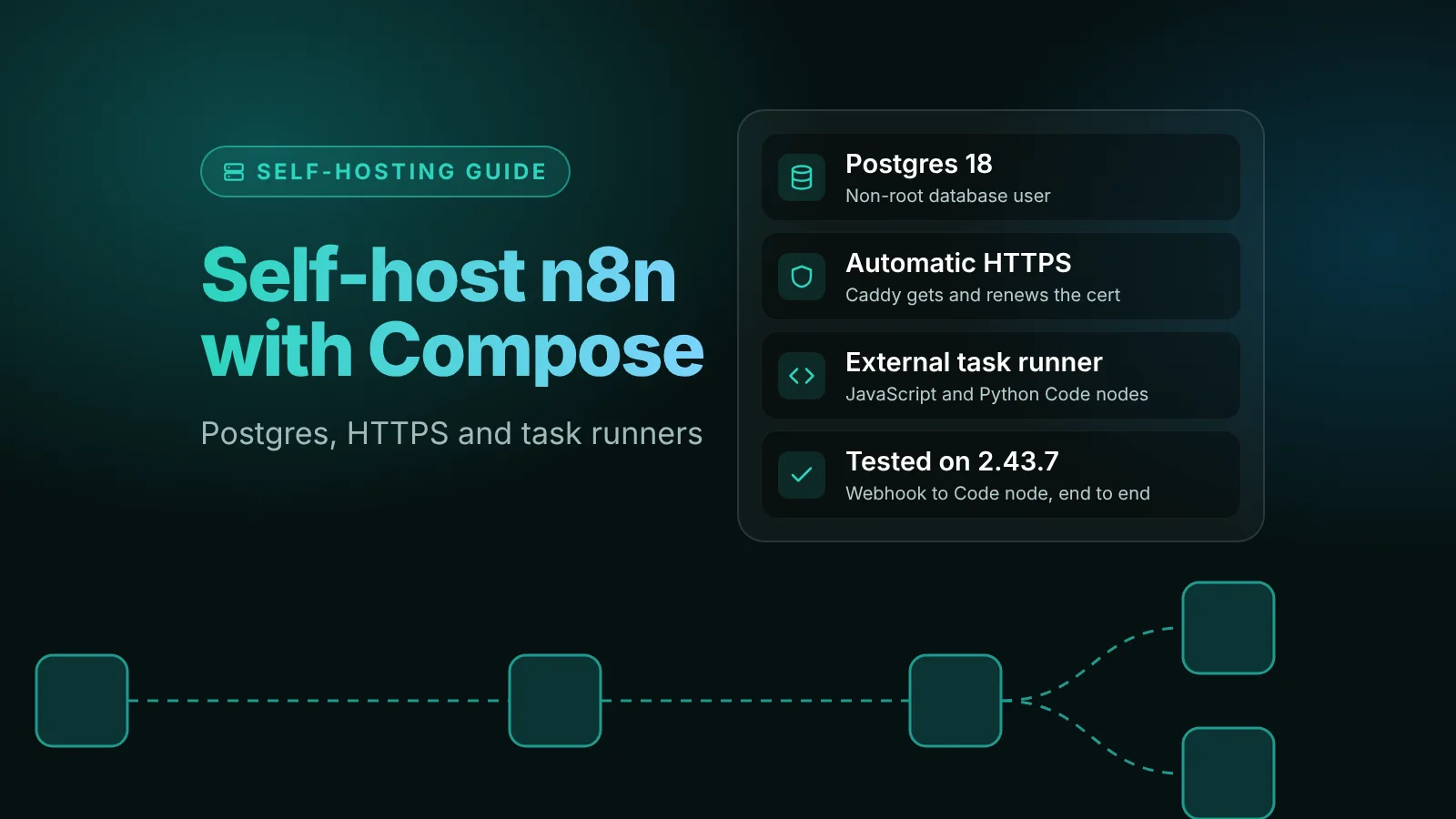
To self-host n8n for production, run four containers with Docker Compose: n8n, Postgres for the database, an n8nio/runners task runner for the Code node, and Caddy as a reverse proxy that gets and renews the HTTPS certificate on its own. You need a Linux server with Docker, a domain pointed at it, and four small files, all included below.
n8n's own guides cover the pieces separately: a server setup with Traefik and SQLite, and a Postgres example without HTTPS. This guide combines them into one production setup. It was tested on n8n 2.43.7, the current stable release, on October 17, 2026: the editor came up behind Caddy over HTTPS, a production webhook ran JavaScript and Python Code nodes on the external runner, and the data survived docker compose down and up. The test used a local domain, so Caddy signed the certificate with its own local CA; on a public domain it requests one from Let's Encrypt instead.
The short version
- Containers:
postgres:18,docker.n8n.io/n8nio/n8n:2.43.7,n8nio/runners:2.43.7andcaddy:2. Only Caddy is reachable from the internet. - Settings that matter:
N8N_ENCRYPTION_KEY,N8N_HOST,N8N_PROTOCOL=https,N8N_WEBHOOK_URL,N8N_PROXY_HOPS=1,GENERIC_TIMEZONE, andN8N_RUNNERS_MODE=external. - Pin versions. The n8n and runners images must have the same version. Never use
latest. - Create the owner account right away. Until you do, the first person to open your URL can claim the instance.
- Back up the
n8n_storagevolume (it holds the encryption key) and the Postgres database.
What you are building
| Service | Image | What it does |
|---|---|---|
postgres | postgres:18 | Stores workflows, credentials, users and executions. n8n's docs recommend Postgres over the default SQLite for production. |
n8n | docker.n8n.io/n8nio/n8n | The editor, API, webhooks and workflow engine, on port 5678 inside the Docker network. |
n8n-runner | n8nio/runners | Runs Code node JavaScript and Python in a separate container. |
caddy | caddy:2 | Listens on ports 80 and 443, gets a Let's Encrypt certificate, redirects HTTP to HTTPS and forwards requests to n8n. |
Why a separate task runner? n8n's task runner docs say to "always use task runners in production" in external mode. In the default internal mode, "anyone who can edit a workflow could potentially read your database, encryption key, stored credentials, and environment variables." Internal mode is also deprecated, and native Python in the Code node needs external mode since n8n 2.0.
Why Caddy instead of Traefik, which n8n's server guide uses? Caddy needs a three-line config file and no access to the Docker socket. Per Caddy's docs, it serves every site over HTTPS by default, renews certificates and redirects HTTP to HTTPS. Its reverse_proxy also sets the X-Forwarded-For, X-Forwarded-Proto and X-Forwarded-Host headers that n8n expects behind a proxy. If you already run Traefik or Nginx, keep it and use the n8n settings from Step 3.
Before you start
- A Linux server with Docker Engine and Docker Compose v2. Check with
docker --versionanddocker compose version. - A domain or subdomain with an A record pointing to the server's IP, for example
n8n.example.com. Create it first: Caddy can only get a certificate once DNS resolves. - Ports 80 and 443 open in your server's firewall and your cloud provider's firewall. Caddy needs both for the certificate challenge and the redirect.
- Nothing else on ports 80 and 443. Stop any Nginx or Apache that came with the server image.
Step 1: Create the project folder and .env file
mkdir n8n && cd n8nCreate .env with your own domain and timezone. The secrets are generated with openssl, so run this as a script rather than copying the values:
cat > .env <<EOF
N8N_VERSION=2.43.7
N8N_DOMAIN=n8n.example.com
TIMEZONE=Europe/Berlin

POSTGRES_USER=postgres
POSTGRES_PASSWORD=$(openssl rand -hex 24)
POSTGRES_DB=n8n
POSTGRES_NON_ROOT_USER=n8n
POSTGRES_NON_ROOT_PASSWORD=$(openssl rand -hex 24)

N8N_ENCRYPTION_KEY=$(openssl rand -hex 32)
RUNNERS_AUTH_TOKEN=$(openssl rand -hex 32)
EOF
chmod 600 .env
Check the current stable version with npm view n8n dist-tags and put it in N8N_VERSION. On October 17, 2026, stable is 2.43.7 and beta is 2.44.3. Our release roundups say which version to run each week.
N8N_ENCRYPTION_KEY is the key n8n uses to encrypt every credential you save. By default n8n generates a random key on first launch and stores it in the n8n_storage volume. Setting it yourself means you have a copy outside the volume: save it in your password manager now. If you lose it, saved credentials can't be decrypted.
Step 2: Add the Postgres init script
n8n should connect to Postgres as a normal user, not the superuser. This script, from n8n's Postgres example, creates that user. Save it as init-data.sh:
#!/bin/bash
set -e

psql -v ON_ERROR_STOP=1 --username "$POSTGRES_USER" --dbname "$POSTGRES_DB" <<-EOSQL
	CREATE USER ${POSTGRES_NON_ROOT_USER} WITH PASSWORD '${POSTGRES_NON_ROOT_PASSWORD}';
	GRANT ALL PRIVILEGES ON DATABASE ${POSTGRES_DB} TO ${POSTGRES_NON_ROOT_USER};
	GRANT CREATE ON SCHEMA public TO ${POSTGRES_NON_ROOT_USER};
EOSQL
The lines inside the EOSQL block must start with a tab, not spaces. Then make it executable:
chmod +x init-data.shPostgres runs this script only on its first start, when the database volume is empty.
Step 3: Write compose.yaml
services:
  postgres:
    image: postgres:18
    restart: unless-stopped
    environment:
      POSTGRES_USER: ${POSTGRES_USER}
      POSTGRES_PASSWORD: ${POSTGRES_PASSWORD}
      POSTGRES_DB: ${POSTGRES_DB}
      POSTGRES_NON_ROOT_USER: ${POSTGRES_NON_ROOT_USER}
      POSTGRES_NON_ROOT_PASSWORD: ${POSTGRES_NON_ROOT_PASSWORD}
      # Postgres 18 moved its default data folder; keep it where the volume is
      PGDATA: /var/lib/postgresql/data
    volumes:
      - db_storage:/var/lib/postgresql/data
      - ./init-data.sh:/docker-entrypoint-initdb.d/init-data.sh:ro
    healthcheck:
      test: ['CMD-SHELL', 'pg_isready -h localhost -U ${POSTGRES_USER} -d ${POSTGRES_DB}']
      interval: 5s
      timeout: 5s
      retries: 10

  n8n:
    image: docker.n8n.io/n8nio/n8n:${N8N_VERSION}
    restart: unless-stopped
    environment:
      # Database
      DB_TYPE: postgresdb
      DB_POSTGRESDB_HOST: postgres
      DB_POSTGRESDB_PORT: 5432
      DB_POSTGRESDB_DATABASE: ${POSTGRES_DB}
      DB_POSTGRESDB_USER: ${POSTGRES_NON_ROOT_USER}
      DB_POSTGRESDB_PASSWORD: ${POSTGRES_NON_ROOT_PASSWORD}
      # Public URL, behind Caddy
      N8N_HOST: ${N8N_DOMAIN}
      N8N_PROTOCOL: https
      N8N_WEBHOOK_URL: https://${N8N_DOMAIN}/
      N8N_PROXY_HOPS: 1
      # Security and time
      N8N_ENCRYPTION_KEY: ${N8N_ENCRYPTION_KEY}
      N8N_ENFORCE_SETTINGS_FILE_PERMISSIONS: true
      NODE_ENV: production
      GENERIC_TIMEZONE: ${TIMEZONE}
      TZ: ${TIMEZONE}
      # Code node runs in the separate task runner container
      N8N_RUNNERS_MODE: external
      N8N_RUNNERS_AUTH_TOKEN: ${RUNNERS_AUTH_TOKEN}
      N8N_RUNNERS_BROKER_LISTEN_ADDRESS: 0.0.0.0
    volumes:
      - n8n_storage:/home/node/.n8n
    depends_on:
      postgres:
        condition: service_healthy

  n8n-runner:
    image: n8nio/runners:${N8N_VERSION}
    restart: unless-stopped
    environment:
      N8N_RUNNERS_AUTH_TOKEN: ${RUNNERS_AUTH_TOKEN}
      N8N_RUNNERS_TASK_BROKER_URI: http://n8n:5679
    depends_on:
      - n8n

  caddy:
    image: caddy:2
    restart: unless-stopped
    ports:
      - 80:80
      - 443:443
      - 443:443/udp
    environment:
      N8N_DOMAIN: ${N8N_DOMAIN}
    volumes:
      - ./Caddyfile:/etc/caddy/Caddyfile:ro
      - caddy_data:/data
      - caddy_config:/config
    depends_on:
      - n8n

volumes:
  db_storage:
  n8n_storage:
  caddy_data:
  caddy_config:
What the n8n settings do, according to n8n's environment variable reference and reverse proxy guide:
| Variable | Why it's set |
|---|---|
N8N_HOST, N8N_PROTOCOL | The host name and protocol people use to reach n8n. The defaults are localhost and http. |
N8N_WEBHOOK_URL | The public base URL for webhooks. Behind a proxy n8n can't work it out on its own, because it listens on 5678 while the proxy serves 443. It replaced WEBHOOK_URL in n8n 2.30.0; the old name is deprecated from 2.35.0. |
N8N_PROXY_HOPS | The number of reverse proxies in front of n8n. Set it to 1 for Caddy. Add one if you also put Cloudflare's proxy in front. |
GENERIC_TIMEZONE, TZ | The timezone for Schedule Trigger and other schedule nodes, and for the container itself. The n8n default is America/New_York. |
N8N_RUNNERS_* | External task runner mode. The broker listens on port 5679 inside the Docker network, and the runner authenticates with the shared token. |
Two details that are easy to get wrong:
- The n8n service has no
ports:entry. Caddy reaches n8n over the Compose network by its service name, so port 5678 is never published on the server. Publishing it would expose n8n over plain HTTP, bypassing Caddy. - The runner image version must match the n8n image version. n8n's docs say so explicitly, which is why both use
${N8N_VERSION}.
Step 4: Write the Caddyfile
Save this as Caddyfile in the same folder:
{$N8N_DOMAIN} {
	reverse_proxy n8n:5678
}
{$N8N_DOMAIN} reads the domain from the environment Compose passes to the Caddy container. Caddy proxies WebSocket connections automatically, so the editor's live updates work without extra settings.
Step 5: Start n8n and create the owner account
docker compose up -d
docker compose logs -f n8n
On the first start, n8n runs its database migrations, which takes a minute or two. It's ready when the log shows:
Editor is now accessible via:
https://n8n.example.com
If the URL in that line shows http or localhost, recheck N8N_HOST and N8N_PROTOCOL. Then check the health endpoint through Caddy:
curl https://n8n.example.com/healthz
# {"status":"ok"}
Open https://n8n.example.com in your browser now and create the owner account. Until someone completes this setup screen, the instance has no owner, and whoever completes it first becomes the owner. Don't leave a fresh instance waiting on the public internet.
Step 6: Test webhooks and the Code node
A two-minute test confirms that the proxy, the webhook URL and the task runner all work:
- Create a workflow with a Webhook node: HTTP Method
POST, Pathstack-test, Respond set to When Last Node Finishes. - Add a Code node in JavaScript that returns
{ js: 'ok' }, and a second Code node set to Python that returns{ python: 'ok' }. - Open the Webhook node. The Production URL should start with
https://n8n.example.com/webhook/. If it showslocalhost:5678,N8N_WEBHOOK_URLisn't set. - Publish the workflow and call it:
curl -X POST https://n8n.example.com/webhook/stack-test \
  -H 'Content-Type: application/json' -d '{"name":"test"}'
A JSON response with both values means the stack works end to end. If the Code nodes fail, check docker compose logs n8n-runner. The runner should log that it is waiting for its task offer to be accepted, which means it reached the broker.
Keep it running: backups, updates and disk space
Back up two things: the n8n_storage volume and the Postgres database. n8n's backup page explains that the volume holds the encryption key, and credentials in the database are encrypted with it. Compose prefixes volume names with the folder name, so here the volume is n8n_n8n_storage; check with docker volume ls. Our guide on how to update self-hosted n8n safely has the backup and restore commands for exactly this layout.
Never run docker compose down -v. The -v flag deletes the volumes, including the encryption key and the database. Plain docker compose down keeps them.
Update on purpose. To move to a new version, back up, change N8N_VERSION in .env (it updates n8n and the runner together), then run docker compose pull and docker compose up -d. Read the update guide before your first one.
Execution data is pruned by default. n8n's executions settings delete execution data older than 336 hours (14 days) and keep at most 10,000 executions. To keep more or less, set EXECUTIONS_DATA_MAX_AGE (in hours) and EXECUTIONS_DATA_PRUNE_MAX_COUNT on the n8n service.
Read the startup warnings. On 2.43.7, n8n logs a list of defaults that will change in a future version, such as N8N_RUNNERS_TASK_TIMEOUT dropping from 300 to 60 seconds. Most of them arrive with n8n 3.0. Our n8n 3.0 guide explains each one and what to set.
Common errors and fixes
"n8n's address '::' is not available"
n8n listens on the IPv6 address :: by default. On a host or container runtime with IPv6 disabled, it restarts in a loop with this message. Add N8N_LISTEN_ADDRESS: 0.0.0.0 to the n8n service's environment. We hit this in our own test environment, and this setting fixed it.
Caddy can't get a certificate
Check docker compose logs caddy. The usual causes are DNS that doesn't point to this server yet, a cloud firewall blocking port 80 or 443, or another web server already using those ports. Caddy retries on its own once the cause is fixed.
Webhook URLs show localhost:5678
N8N_WEBHOOK_URL is missing or the container wasn't recreated after you added it. Run docker compose up -d after any change to compose.yaml or .env. A restart alone doesn't apply new environment variables.
Code nodes fail or never finish
The runner can't reach n8n, or it's on a different version. Check that n8n-runner uses the same ${N8N_VERSION} as n8n, that both services have the same RUNNERS_AUTH_TOKEN, and that N8N_RUNNERS_BROKER_LISTEN_ADDRESS is 0.0.0.0. The broker only listens on localhost by default, which the runner container can't reach.
"database files are incompatible with server"
The Postgres image moved to a new major version on an existing volume, for example from postgres:16 to postgres:18. Your data is intact. Pin the old tag back, and follow the dump-and-restore steps in n8n's Postgres example README when you are ready to upgrade Postgres.
Next steps
- Before your first update: how to update self-hosted n8n safely.
- Before the next major version: n8n 3.0 release date, breaking changes and how to prepare.
- More on running n8n yourself: the self-hosting tag.
Sources
- Use Docker Compose on a server (n8n docs)
- Install using Docker Compose (n8n docs)
- n8n with PostgreSQL example (n8n-hosting on GitHub)
- Set up task runners (n8n docs)
- Configure webhook URLs with reverse proxy (n8n docs)
- Deployment environment variables (n8n docs)
- Executions environment variables (n8n docs)
- Back up and restore (n8n docs)
- Automatic HTTPS (Caddy docs)
- reverse_proxy directive (Caddy docs)
- n8n package versions and dist-tags (npm)
Editorial team
The then8nblog editorial team researches every article from n8n's release notes, documentation and source code, states the n8n version each guide was tested on, and has every post reviewed by a human editor before it goes live.