n8n 3.0 breaking changes: what to fix before you upgrade
n8n 3.0 is scheduled for October 2026. Every breaking change, who it affects, and a step-by-step checklist to get your workflows and instance ready.
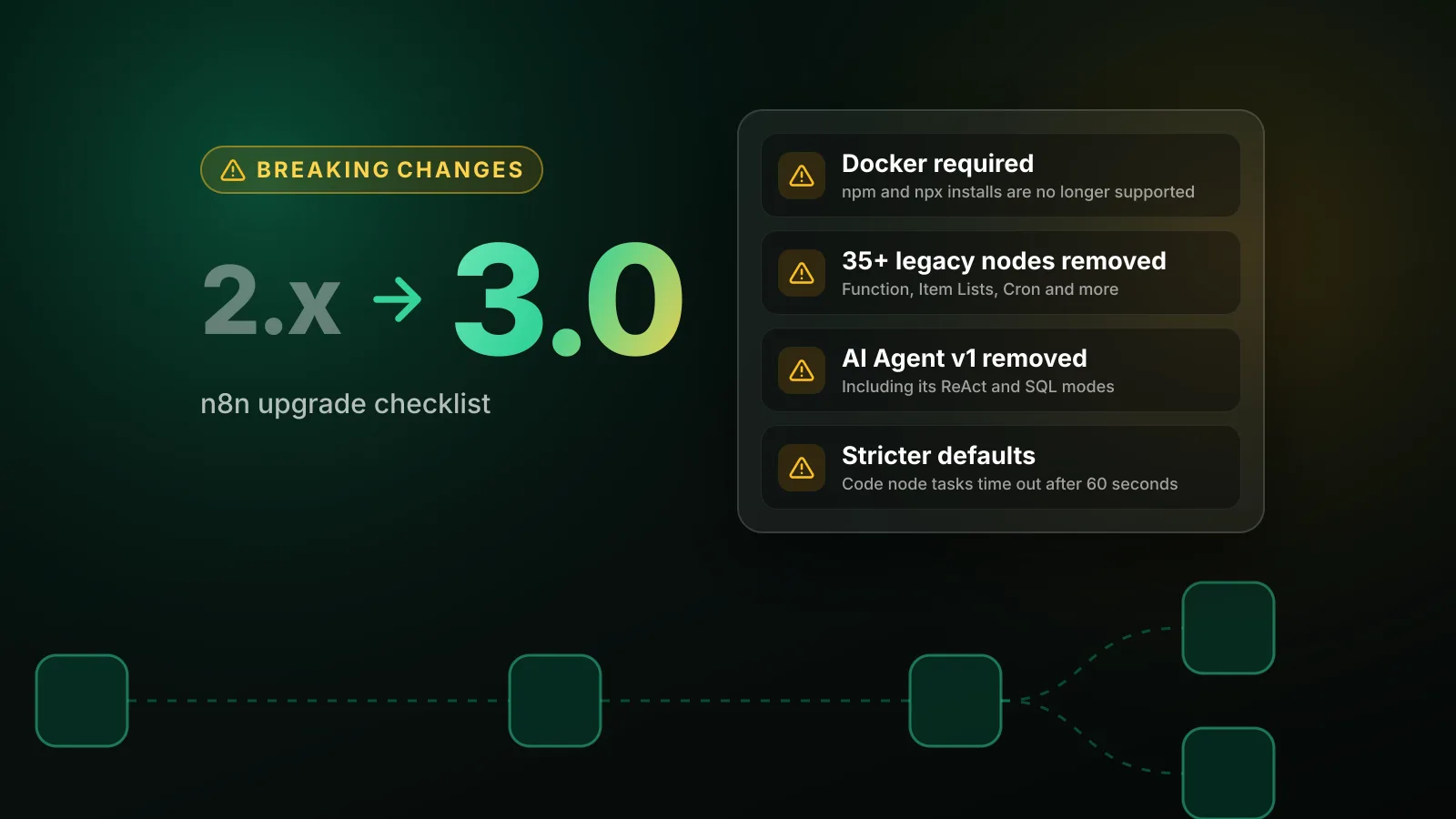
n8n 3.0 is scheduled for October 2026, according to n8n's own breaking changes page. The three changes that will affect the most people: self-hosted n8n must run on Docker (installs with npm or npx n8n are no longer supported), more than 35 legacy nodes are removed, and several defaults get stricter, including a 1-minute timeout for Code node tasks.
Most instances can be made ready in an afternoon. Start with Settings > Migration Report in your current 2.x instance, which lists the workflows and settings that need attention, then work through the checklist below.
The short version
- npm and npx installs end. Move self-hosted n8n to Docker (Docker Compose for local setups) before upgrading.
- Legacy nodes are removed. Function, Function Item, Item Lists, Cron, Interval, Read Binary File(s), Write Binary File, Read PDF, HTML Extract, iCalendar, the legacy OpenAI nodes and several older AI nodes are gone. Most have a direct replacement.
- AI Agent version 1 is removed, along with its SQL, Conversational, OpenAI Functions, Plan and Execute, and ReAct modes.
- Expression and Code node helpers go:
$getPairedItemand$evaluateExpression()in the Code node. - Stricter defaults: Code node tasks time out after 60 seconds instead of 300, unverified community packages are off, the SSRF block list grows, and the Compression node accepts smaller archives.
- Retired features: Chat Hub is off by default, and importing a workflow from a URL in the editor is removed.
Who needs to act
| If you… | Then |
|---|---|
Run n8n with npm or npx n8n | Plan a move to Docker before upgrading. This is the biggest change for self-hosters. |
| Have workflows built before 2023 or copied from old templates | Check for removed nodes (Function, Cron, Item Lists, Read Binary File and others). |
| Built AI workflows in 2023-2024 | Check for AI Agent version 1, legacy OpenAI nodes, Insert/Load vector store nodes and Zep or Motorhead memory. |
| Run long Code node tasks | Set N8N_RUNNERS_TASK_TIMEOUT explicitly; the default drops to 60 seconds. |
| Install unverified community nodes from npm | Set N8N_UNVERIFIED_PACKAGES_ENABLED=true. |
Mount a volume at ~/.n8n/binaryData | Change the mount to ~/.n8n/storage or set N8N_STORAGE_PATH. |
| Built a custom chat client on the Chat Trigger WebSocket | Parse every frame as JSON and switch on its type field. |
| Develop community nodes | Remove defaults.color and install Docker or Podman for n8n-node dev. |
Docker becomes mandatory for self-hosted n8n
n8n 3.0 "will no longer support installations run using npm or npx n8n." The 3.0 notes for node developers go further: n8n 3.0 "doesn't publish a runnable n8n package to npm," so there will be no npm package to upgrade to.
If you already run the official Docker image, nothing changes here. If you run n8n directly on a server with npm, under a process manager such as PM2 or systemd, you need to migrate first. n8n expects Docker Compose to be the easiest path for local installations and says step-by-step migration guidance is coming. The core of any migration:
- Stop n8n and back up your database and the
~/.n8nfolder. n8n generates an encryption key on first launch and saves it in that folder's settings file, unless you setN8N_ENCRYPTION_KEYyourself. Without that key, your saved credentials cannot be decrypted. - Run the official image (
docker.n8n.io/n8nio/n8n) pinned to the same version you run today, with the old~/.n8nfolder mounted at/home/node/.n8n, the same database settings and the same encryption key. - Confirm workflows and credentials work, then upgrade the pinned version.
Changing the install method and the major version at the same time makes problems hard to trace, so do the Docker move on your current 2.x version first.
Removed nodes and their replacements
| Removed in 3.0 | Use instead |
|---|---|
| Function | Code node in Run Once for All Items mode |
| Function Item | Code node in Run Once for Each Item mode |
| Item Lists | Split Out, Aggregate, Sort, Limit, Remove Duplicates or Summarize, depending on the operation |
| Cron, Interval | Schedule Trigger |
| HTML Extract | HTML node, Extract HTML Content operation |
| iCalendar | Convert to File node, Convert to ICS operation |
| Convert to/from binary data | Convert to File or Extract from File |
| Read Binary File, Read Binary Files, Write Binary File | Read/Write Files from Disk |
| Read PDF | Extract from File, Extract From PDF operation |
| Workflow Trigger | n8n Trigger |
| OpenAI (legacy), OpenAI Assistant | The current OpenAI node in the AI section (use its Assistant resource for assistants) |
| OpenAI Model | OpenAI Chat Model |
| HTTP Request Tool (legacy) | HTTP Request node connected to the AI Agent's Tool input |
| Manual Chat Trigger | Chat Trigger |
| Chat Messages Retriever | Chat Memory Manager, or load previous sessions in the Chat Trigger |
| Binary Input Loader, JSON Input Loader, GitHub Document Loader | Default Data Loader (fetch GitHub content with the GitHub node first) |
| In Memory, Pinecone and Supabase vector store Insert and Load nodes | The single node for each store (Simple Vector Store, Pinecone Vector Store, Supabase Vector Store) with the Insert Documents, Get Many or Retrieve Documents operation |
| Motorhead and Zep memory, Zep Vector Store nodes | No direct replacement: use another supported memory or vector store node |
| SerpApi (Google Search) | No direct replacement: call the SerpApi API with an HTTP Request tool, or use a verified community node |
| Orbit | None (the Orbit service shut down) |
The legacy LangChain Code node is also on the removal list, without a replacement named yet.
The AI Transform node is handled differently: on upgrade, n8n converts existing AI Transform nodes into Code nodes with the same generated JavaScript, so those workflows keep working. You just can't add new AI Transform nodes.
AI Agent and chat changes
Version 1 of the AI Agent node is removed, together with its agent type modes: SQL Agent, Conversational Agent, OpenAI Functions Agent, Plan and Execute Agent and ReAct Agent. Update those nodes to the latest AI Agent version. Workflows already using Tools Agent behave the same after updating. For SQL Agent use cases, n8n recommends a Postgres or MySQL tool sub-node connected to a recent AI Agent node.
The Chat Trigger WebSocket used in the Using Response Nodes response mode now sends every frame as a JSON object with a type field (heartbeat, continue, error, message or with-buttons). A text reply looks like this:
{ "type": "message", "text": "Hi! How can I help?" }Clients acknowledge heartbeats with { "type": "heartbeat-ack" }. If you embed n8n's chat widget (@n8n/chat) yourself, update it to version 1.31.0 or later before upgrading n8n. The hosted chat page needs no changes.
Chat Hub is turned off by default in 3.0 and will be removed in n8n 4.0. Your chat sessions, agents and messages stay in the database. To keep it running during the 3.x line, add chat-hub to N8N_ENABLED_MODULES while keeping any modules you already enable, for example N8N_ENABLED_MODULES=agents,chat-hub. This is separate from the new Agents feature introduced in n8n 2.40, which is not being retired.
Expressions, Code node and sub-workflows
$getPairedItemis removed. Use standard item linking instead, such as thepairedItemproperty or$("Node name").item.$evaluateExpression()is removed from the Code node. Since 2.0, Code nodes run on task runners in secure mode, where this call already fails; only instances runningN8N_RUNNERS_INSECURE_MODE=truewere still using it. Evaluate the expression in a field of an earlier node, such as Edit Fields (Set), and read the result from the incoming item.$evaluateExpression()keeps working in normal{{ }}expression fields.- Execute Sub-workflow loses the Local File and URL sources. Only node versions 1.1 and older offered them, and those nodes now fail. Import the sub-workflow and select it with the Database source, or paste its JSON with Define Below.
- Always Output Data behaves differently on multi-output nodes. On nodes such as If and Switch, n8n now adds an empty item only when every output is empty. Before, each empty output got its own empty item, so branches could run when they shouldn't. Review flagged nodes and confirm the setting still matches what you want.
Node behavior changes
Gmail Trigger versions 1 to 1.3 now run with version 1.4 behavior:
- Max Emails per Poll applies to every poll: 10 by default, up to 50. Remaining emails are picked up in later polls.
- Drafts are skipped unless you turn on the Include Drafts filter. Versions 1 and 1.1 included drafts by default.
- Sent emails that aren't in the inbox, and scheduled emails, no longer trigger the workflow.
If a workflow relied on sent or scheduled emails, n8n suggests replacing the trigger with a Schedule Trigger followed by the Gmail node's Get Many messages operation.
Webflow OAuth2 API credentials now default to the Webflow v2 API scopes. Connected credentials keep working, but if you still use the deprecated Webflow v1 Data API, turn on the Legacy toggle before you reconnect the credential.
Configuration and environment variables
For many of these settings, n8n 2.x already logs a deprecation warning at startup when your instance is affected, so check your logs before upgrading.
| Setting | What changes in 3.0 | What to do |
|---|---|---|
N8N_RUNNERS_TASK_TIMEOUT | Default drops from 300 to 60 seconds | Set it explicitly if Code node tasks run longer than a minute |
N8N_UNVERIFIED_PACKAGES_ENABLED | Default changes from true to false | Set to true to keep installing unverified community nodes |
OFFLOAD_MANUAL_EXECUTIONS_TO_WORKERS | Removed: manual executions always run on workers in queue mode | Remove it, and check the memory you give workers |
N8N_DB_PING_TIMEOUT | Removed | Use DB_PING_TIMEOUT_MS |
N8N_DEFAULT_BINARY_DATA_MODE=default | No longer valid; instances switch to filesystem | Choose filesystem, s3, azure or database, and check disk space |
N8N_MIGRATE_FS_STORAGE_PATH | Removed; ~/.n8n/binaryData is renamed to ~/.n8n/storage on first start | See the storage note below |
N8N_PRE_EXECUTE_ERROR_CREATES_EXECUTION | Removed | Delete it before upgrading |
N8N_COMPRESSION_NODE_MAX_DECOMPRESSED_SIZE_BYTES, N8N_COMPRESSION_NODE_MAX_ZIP_ENTRIES | Defaults drop from 2 GiB to 256 MiB, and from 5,000 to 1,000 entries | Set 2147483648 and 5000 if you handle larger archives |
N8N_SSRF_BLOCKED_IP_RANGES (with default) | Also blocks 100.64.0.0/10 and IPv6 transition ranges when SSRF protection is on | Allow specific hosts with N8N_SSRF_ALLOWED_IP_RANGES or N8N_SSRF_ALLOWED_HOSTNAMES, and keep default in the list |
Retired features
- Chat Hub: off by default, removed in 4.0 (see above).
- Import from URL in the workflow editor is removed. Copy-paste, Import from File, the CLI and the n8n API still work.
- Enable external secrets for project roles (Enterprise) is removed. Project editors and admins get external-secrets access in their projects by default; use custom project roles to restrict it.
- The Ask AI tab in the Code node is removed.
For community node developers
defaults.coloris removed from the node description. Nodes that set it still work, but Font Awesome icons appear in a neutral color. Switch to an SVG or PNG file icon.n8n-node devnow runs n8n in a container, so it needs Docker or Podman. To use your own instance, runn8n-node dev --external-n8nand start that instance withN8N_DEV_RELOAD=true. Pin a version with--n8n-image docker.n8n.io/n8nio/n8n:<version>.- Test workflows and credentials now live in a per-image container volume (
n8n-node-cli-data-<image>), not in~/.n8n-node-cli/.n8n. Export test workflows you want to keep before upgrading the CLI. --custom-user-folderonly applies together with--external-n8n.
n8n-node build, lint, release and npm create @n8n/node are unchanged.
How to prepare: a step-by-step checklist
- Pin your version. Use an exact image tag such as
n8nio/n8n:2.41.4rather than a moving tag, so nothing upgrades to 3.0 before you are ready. n8n has recommended pinning exact versions since 2.0. - Back up. Database dump, the
~/.n8nfolder and your encryption key. Test that the backup restores. - Move to Docker if you run n8n with npm or npx, while still on 2.x.
- Open Settings > Migration Report (global admins only). Fix Critical issues first, then Medium, then Low, and re-scan until the counts reach zero. Check both the Workflow issues and Instance issues tabs.
- Read your startup logs for deprecation warnings and set any environment variables whose old defaults you rely on.
- Replace removed nodes using the table above, and update AI Agent nodes still on version 1.
- Test on a copy. Restore your backup into a staging instance, upgrade it to 3.0 when it is released, and run your most important workflows end to end.
- Upgrade production, then watch failed executions closely for the first days.
When is n8n 3.0 released?
n8n's documentation says 3.0 is "scheduled for October 2026." n8n has not published a specific date in its docs as of October 1, 2026. Until then, keep your instances on a pinned 2.x version, run the Migration Report and fix what it finds. We will update this guide, and cover the release itself in our news section, as soon as n8n publishes more detail.
Sources
Editorial team
The then8nblog editorial team researches every article from n8n's release notes, documentation and source code, states the n8n version each guide was tested on, and has every post reviewed by a human editor before it goes live.